JSON Export Sample
JSON is the format for developers. If the data goes into your own code, a database or another service, JSON is easier to work with than CSV: each product is one object, and lists like images, categories and variants stay real lists instead of text joined with separators.
Download
The sample has 5 demo products from a clothing store, including products with variants and one item out of stock.
Structure
The file is an array of products. One product looks like this (shortened):
{
  "id": "101",
  "type": "variable",
  "sku": "NF-TS01",
  "name": "Classic Cotton T-Shirt",
  "regular_price": "19.90",
  "sale_price": "15.90",
  "currency": "USD",
  "in_stock": "yes",
  "categories": ["Clothing", "T-Shirts"],
  "brand": "Northfield",
  "attributes": [{"name": "Material", "values": ["100% cotton"]}],
  "options": [
    {"name": "Color", "values": ["White", "Black"]},
    {"name": "Size", "values": ["M", "L"]}
  ],
  "images": ["https://demo-store.example.com/images/nf-ts01-1.jpg"],
  "description": "<p>Soft cotton t-shirt with a regular fit.</p>",
  "url": "https://demo-store.example.com/product/nf-ts01/",
  "variations": [
    {
      "id": "10101",
      "sku": "NF-TS01-WHI-M",
      "attributes": [{"name": "Color", "value": "White"}, {"name": "Size", "value": "M"}],
      "regular_price": "19.90",
      "in_stock": "yes",
      "stock_qty": "12"
    }
  ]
}
A few things to know before you write the parser:
- All values are strings, prices too. Convert them to numbers on your side. We do it this way so that prices like "19.90" never turn into 19.899999.
- A field that the site does not have is an empty string or an empty list, never missing. You do not need to check if a key exists.
- "attributes" are plain features. "options" are the attributes used to build variants, and every item in "variations" has its own values for them.
- "type" is "simple" for products without variants and "variable" for products with variants.
- The file is UTF-8. Text is not escaped, so you will see accents and non-Latin letters as they are.
Reading it in Python
import json

with open('sample-products.json', encoding='utf-8') as f:
    products = json.load(f)

for p in products:
    price = float(p['sale_price'] or p['regular_price'] or 0)
    print(p['sku'], p['name'], price, len(p['variations']), 'variants')
Older samples
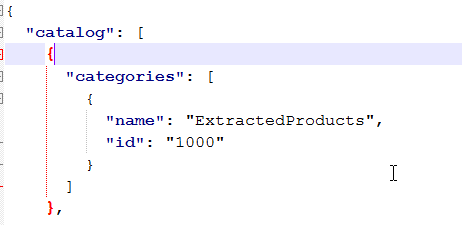
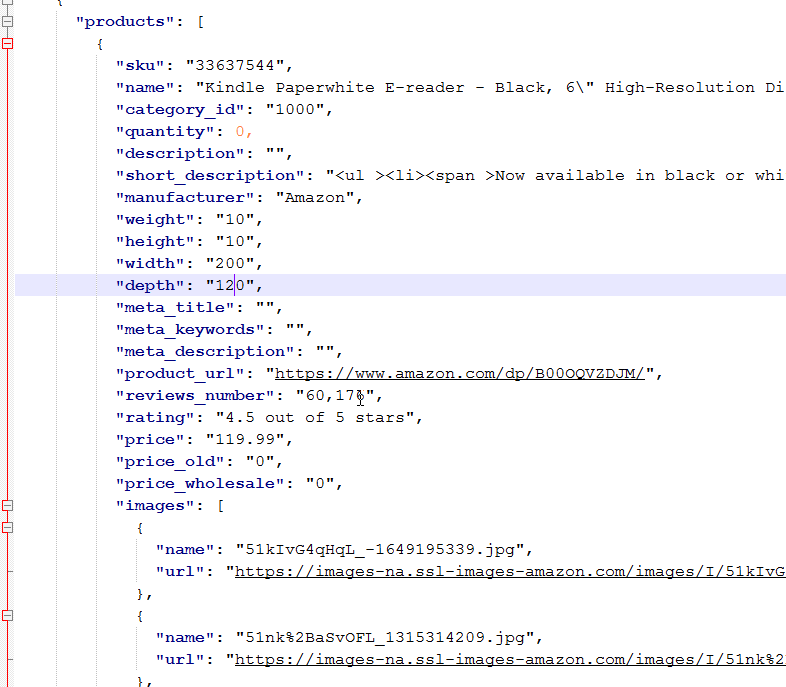
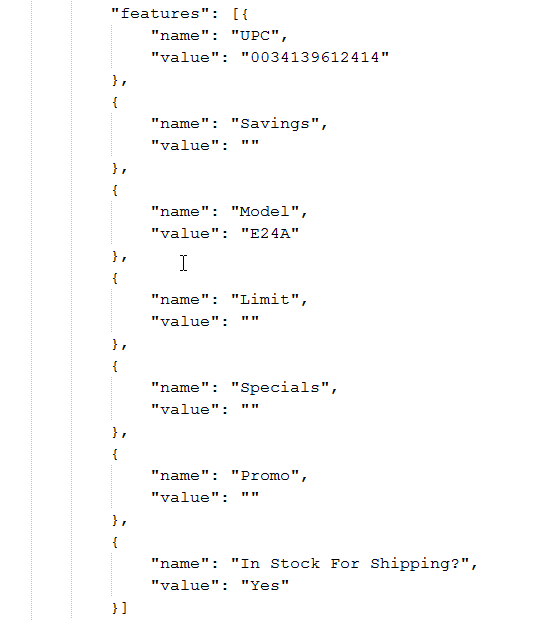
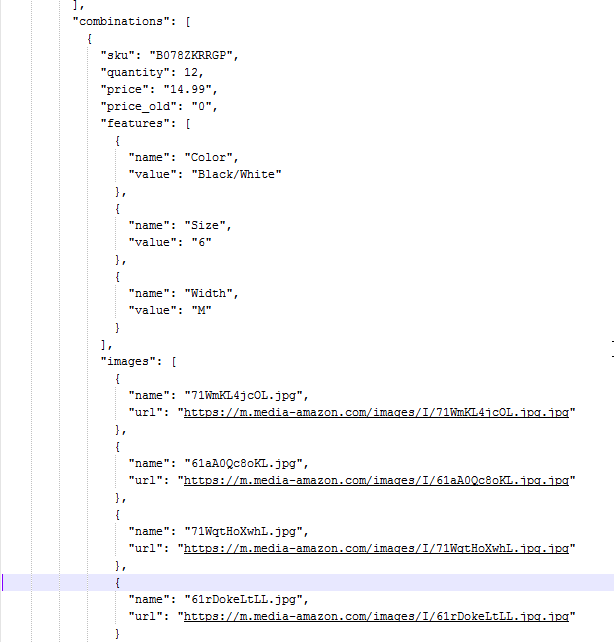
Screenshots of an earlier JSON export from our Runner, with the same idea: categories, products, features and combinations (variants).
Categories
Products
Features
Combinations
Need the data from an API instead of a file? See our API page, or tell us how you want to receive it.
Have a scraping or integration task? Let our AI solve it.
Describe what data you need or which systems to connect — our AI builds and runs the scraper or integration for you. No coding required.
Free for 14 days, no card needed · already have an account?