AI
Have a scraping or integration task? Let our AI solve it.
Describe what data you need or which systems to connect — our AI builds and runs the scraper or integration for you. No coding required.
Free to try · already have an account?
How to sync products with Shopify store
Shopify allows users to sync items via API automatically. Our scrapers support products import / update / sync via Shopify API. To enable this option user has to enable private apps / create an app / give access for new app to manage products. Find below how to do that. Find App in the left menu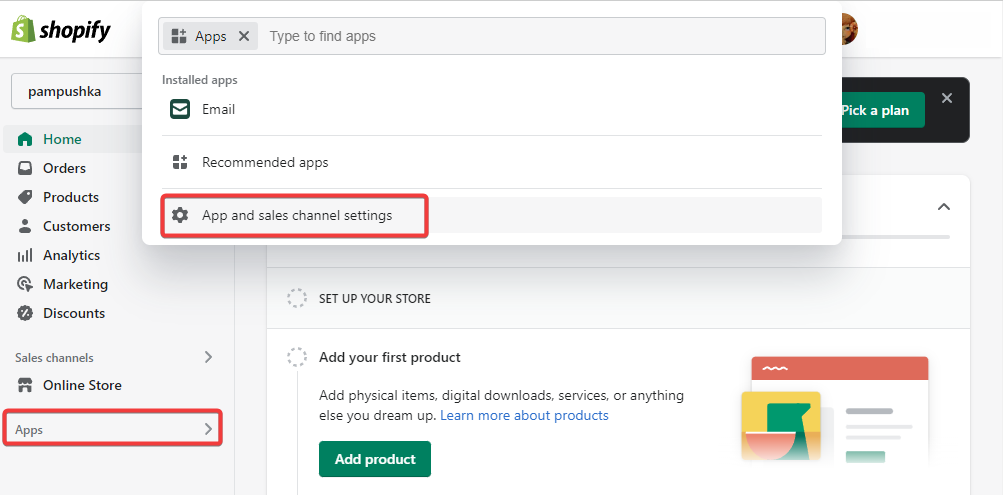 Go to button at Apps page, and click on Manage private apps
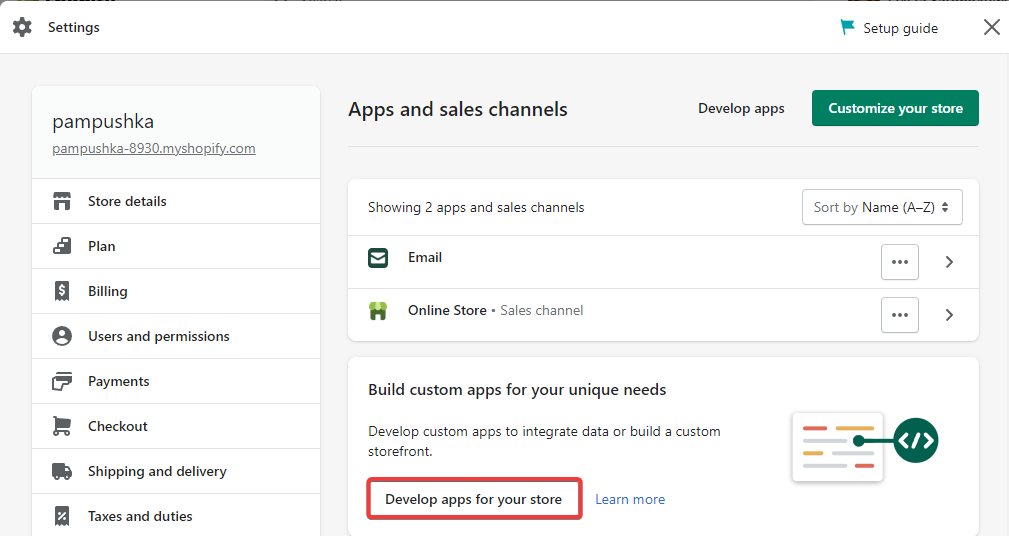 Go to
https://your-store-name.myshopify.com/admin/apps/private
Go to
https://your-store-name.myshopify.com/admin/apps/private
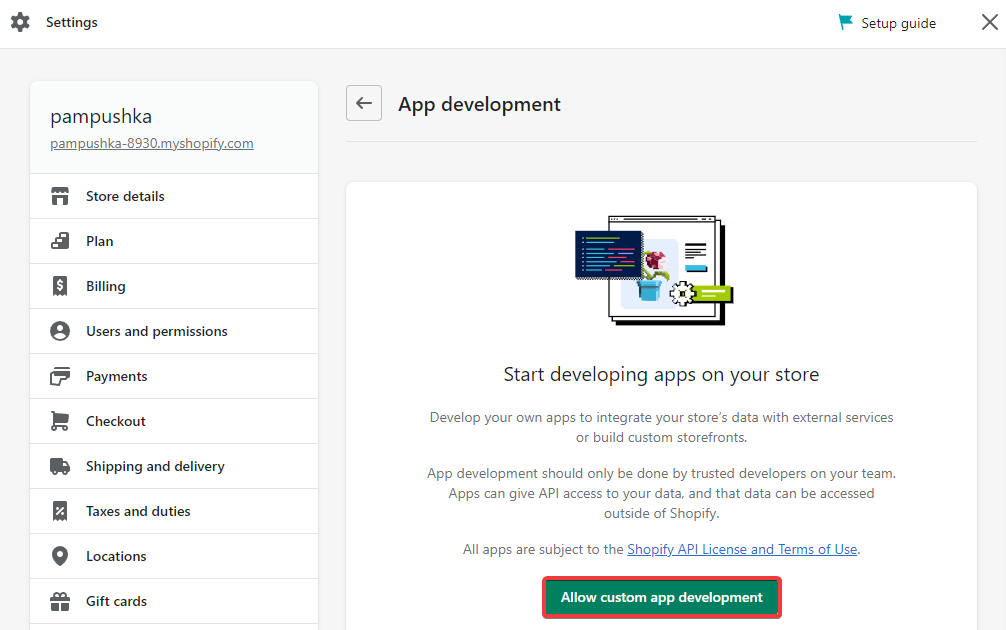 Confirm
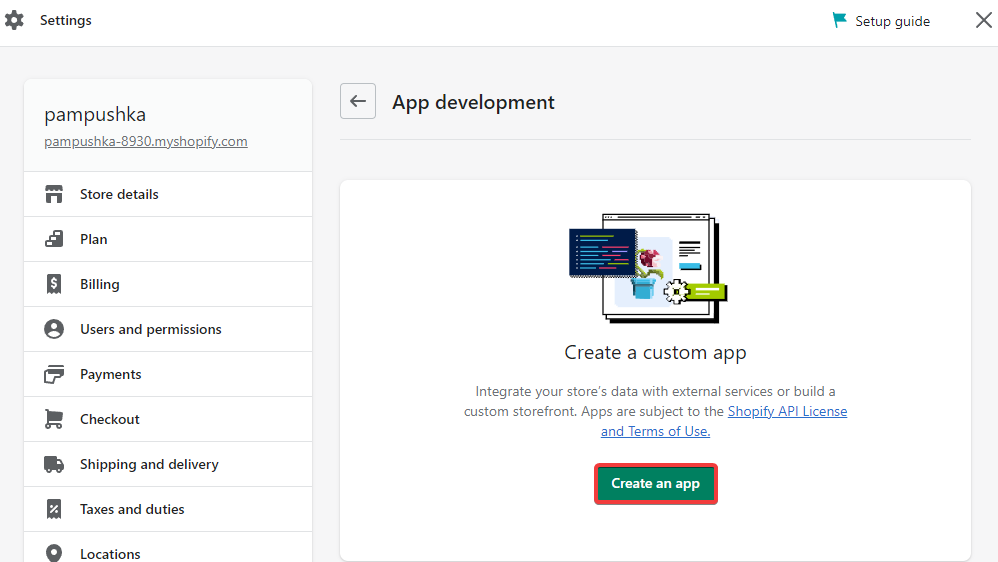
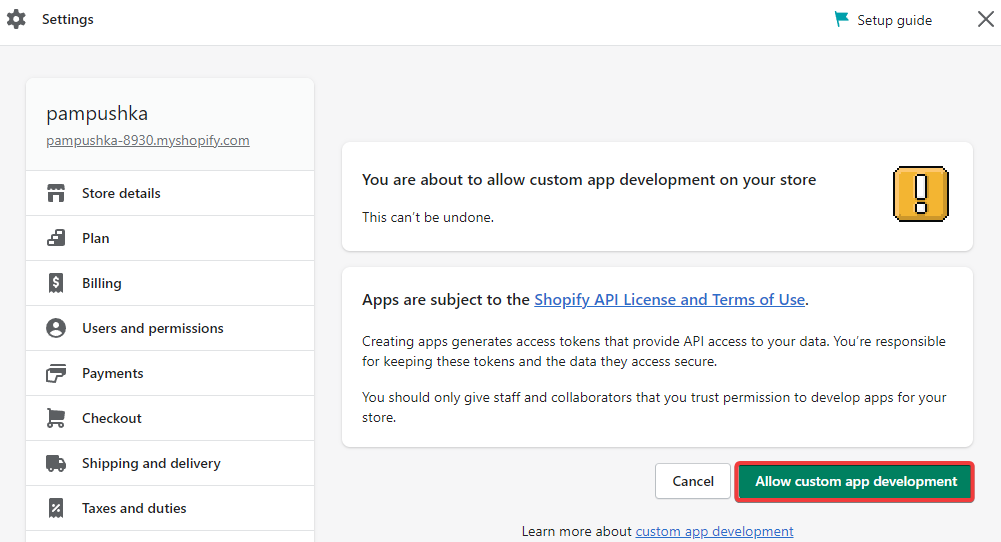 Create new app
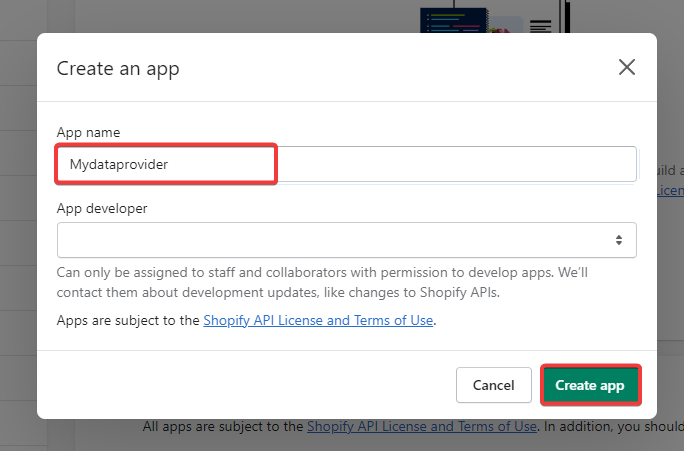
 Fill the form with app name and developer email
 Click here:
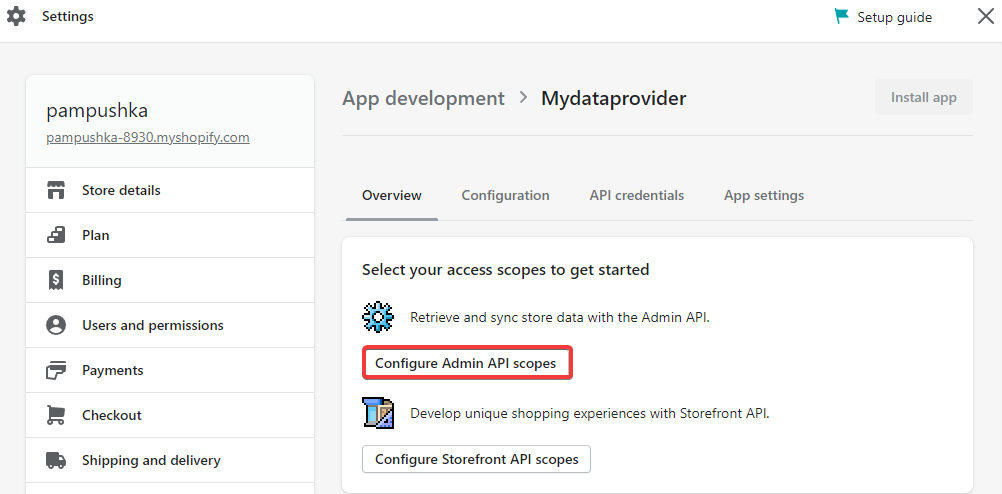 Give access for Inventory:
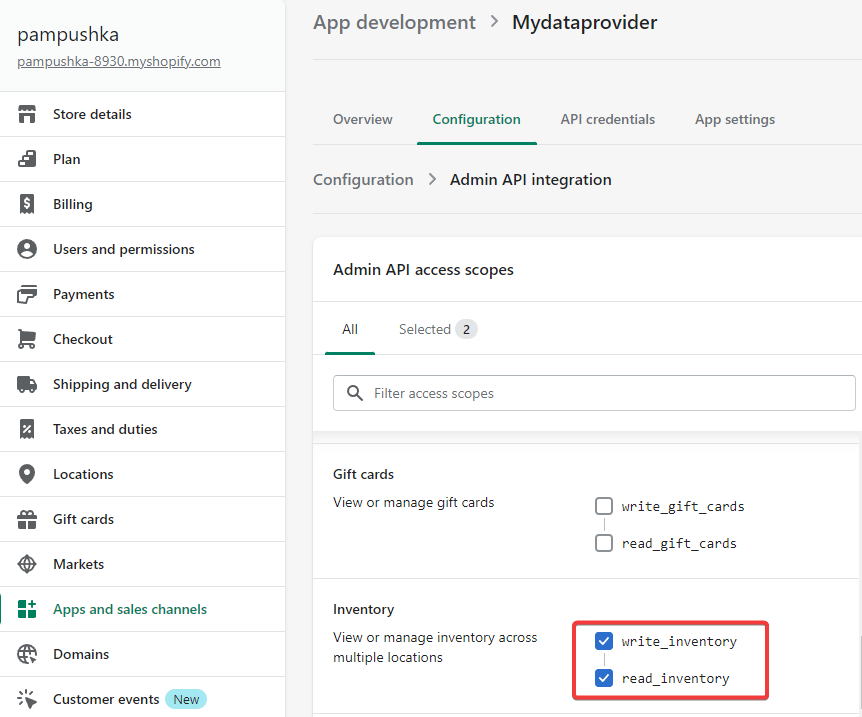 Give access for Listing and Products
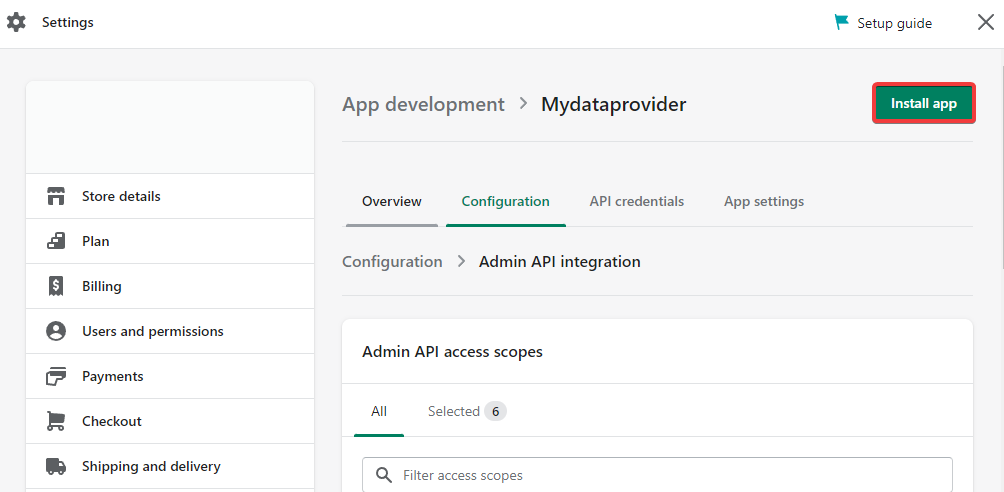
 Install App
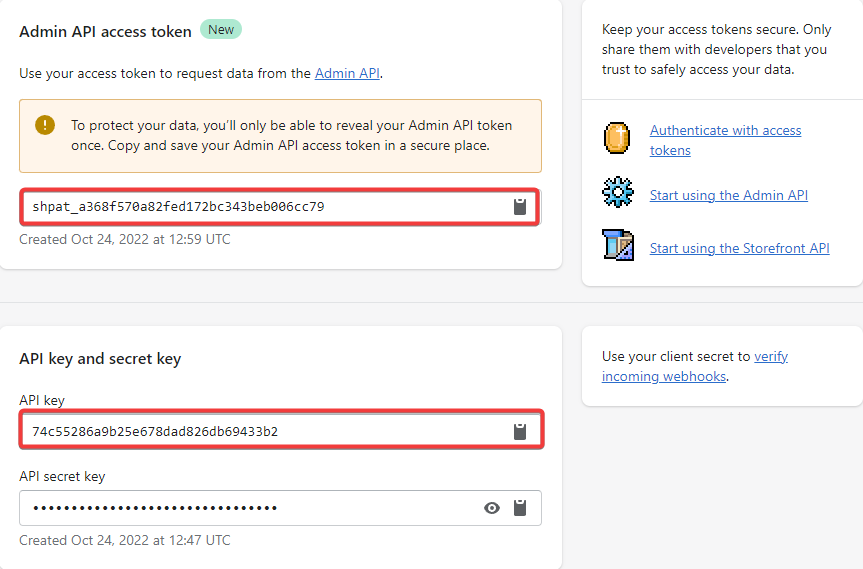
 Copy API key and Password