XML Export Sample
The XML export was made for importing products into online stores. Categories come as a separate tree with ids, and every product refers to them, so the importer can rebuild the same category structure in your shop. Variants are stored as combinations with their own SKU, price, stock and images. This is the format our PrestaShop, OpenCart and Magento import modules read, and most other import tools can map it too.
Download
The sample contains 5 demo products and 4 categories of a small clothing store.
Structure
<xml_catalog>
  <categories>
    <category id="1">Clothing</category>
    <category id="2" parent_id="1">T-Shirts</category>
  </categories>
  <products>
    <product>
      <sku>NF-TS01</sku>
      <name>Classic Cotton T-Shirt</name>
      <price>15.90</price>
      <price_old>19.90</price_old>
      <quantity>25</quantity>
      <manufacturer>Northfield</manufacturer>
      <currency>USD</currency>
      <category_id>2</category_id>
      <images>...</images>
      <features>...</features>
      <combinations>...</combinations>
    </product>
  </products>
</xml_catalog>
Sections
Categories
Every category has an id and, if it is a subcategory, a parent_id. Products link to categories with one or more category_id tags.
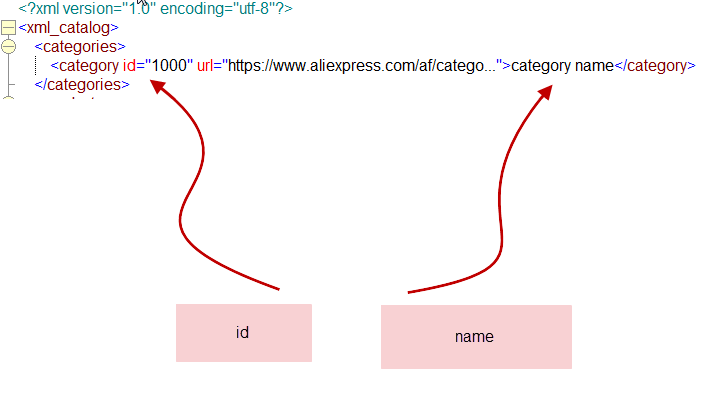
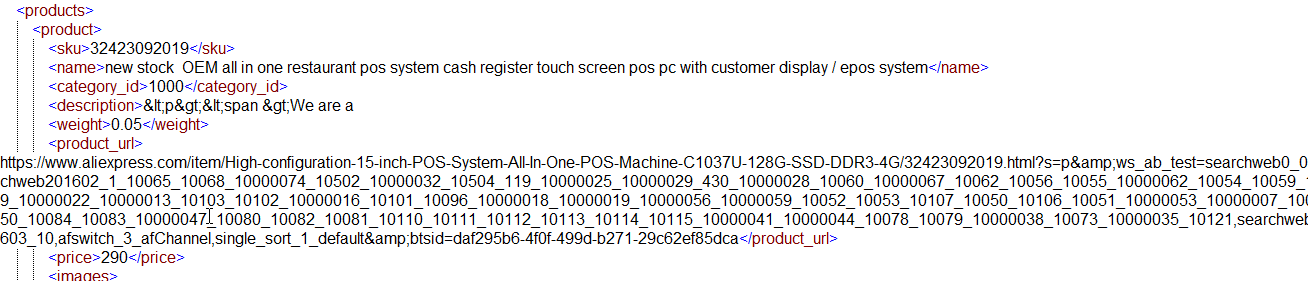
Basic product fields
SKU, name, price, old price (the price before a discount), quantity, manufacturer, descriptions, product URL, rating and currency. "price" is always the price the customer pays now.
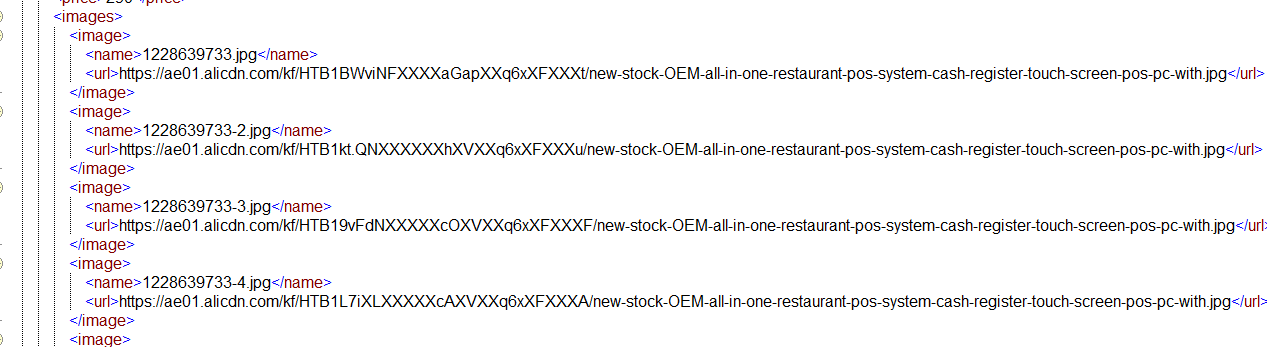
Images
All product images with the file name and full URL. The first image is the main one.
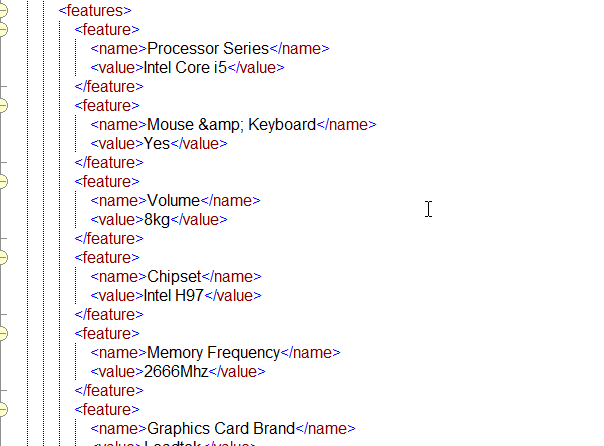
Features
Product features as name and value pairs, for example Material: 100% cotton.
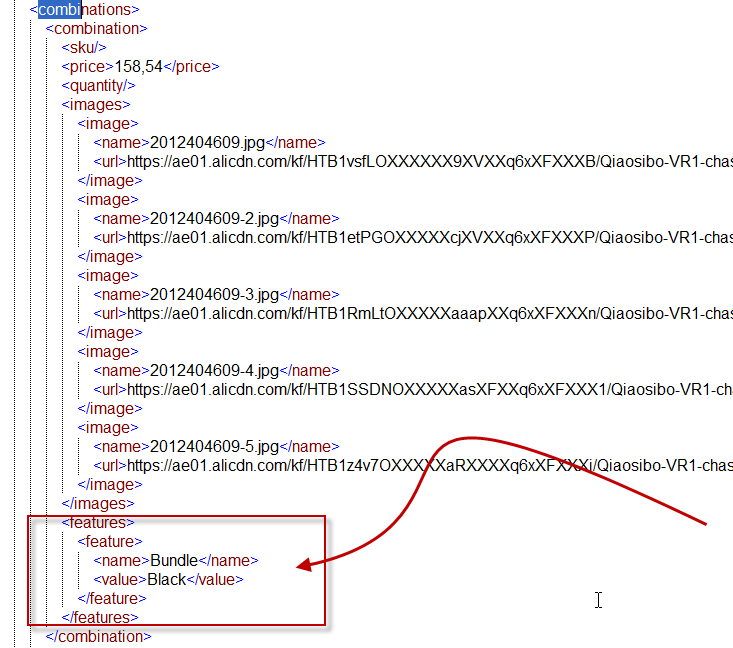
Combinations (variants)
One combination for each variant: its own SKU, name, quantity, price, images and the options that define it, like Color: White and Size: M.
When to choose XML
- You import into PrestaShop, OpenCart, Magento or another platform with an XML import tool.
- You need the category tree, not only category names.
- Your products have many variants and each of them has its own stock and price.
For WooCommerce and Shopify it is easier to use the ready import CSV files, see the CSV page. For your own code, JSON is usually more convenient. You can try all formats on your own store with our free online exporters.
Have a scraping or integration task? Let our AI solve it.
Describe what data you need or which systems to connect — our AI builds and runs the scraper or integration for you. No coding required.
Free for 14 days, no card needed · already have an account?